

Cast4K player · 1-year activation
The player that makes IPTV easy on any screen.
Cast4K is a media player for your TV and phone. No long logins: we approve your device, you type a profile name, and your channels load. It works on Fire TV, Android, iPhone and Roku.
- Activated in minutes
- One device at a time
- Setup help on WhatsApp

Available on every screen
 iOS
 Android
 Fire TV
 Roku
 Downloader
 Samsung TVComing soon
 LG TVComing soon
What it does
Why we install it for our customers
Most free players are slow or full of ads. Cast4K is quick, clean and built for families.
2-step profile login
We approve your device's MAC address, you type your profile name, and the channels load. Nothing long to type with a remote.
Your home screen, your picks
Choose four favourite categories to show on the home screen, so you see sports, Indian dramas or kids shows first.
Two continue-watching rows
One row for live channels and one for movies and series, with progress bars so you pick up exactly where you stopped.
Built-in subtitle search
Search and download subtitles for any movie or series in many languages, right inside the app.
Share to another device by QR
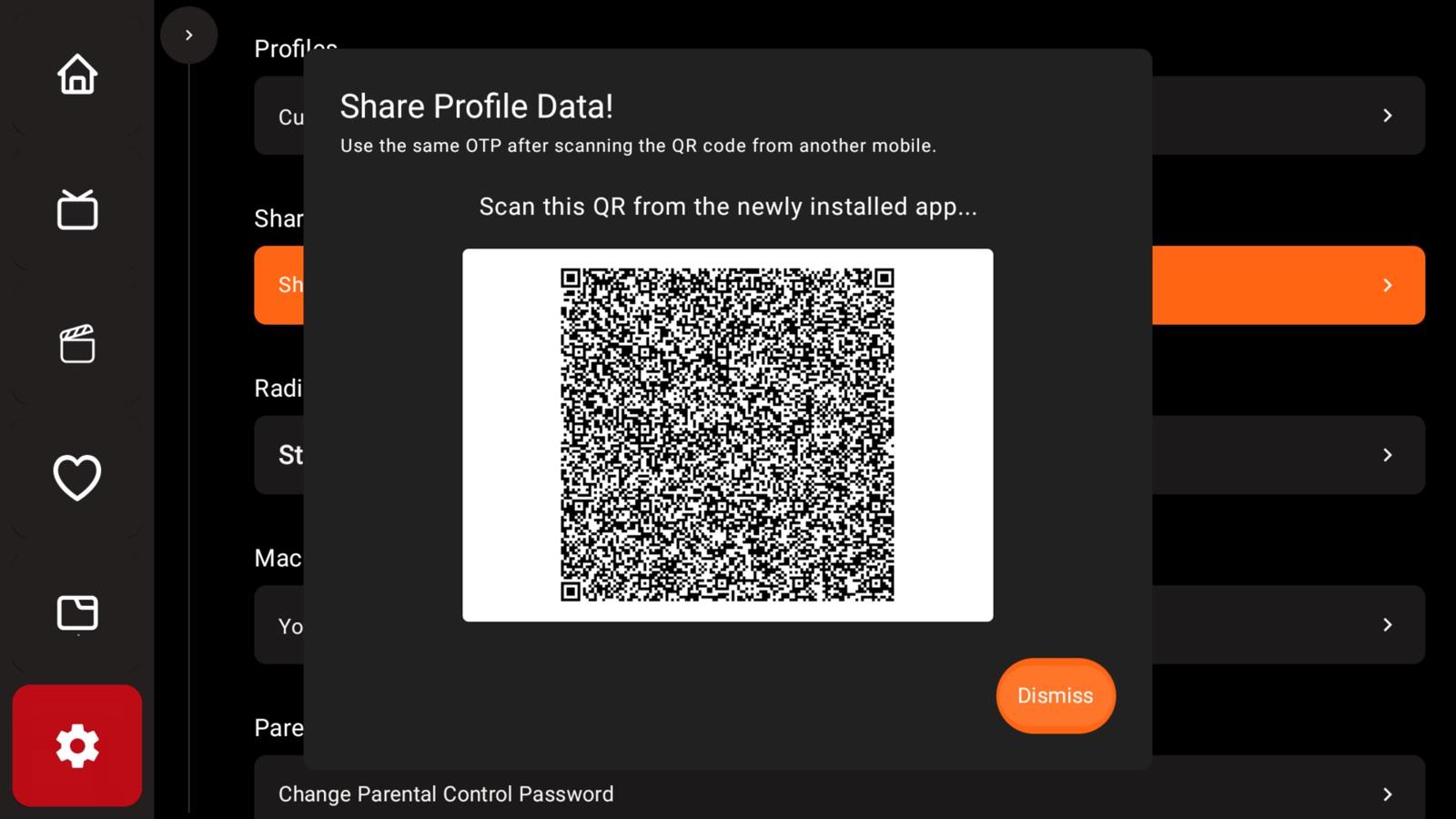
Scan a QR code on your phone or second TV and your profile moves over. Use it on one device at a time.
Made for real-world WiFi
HD and 4K that adjusts to your connection, a low-data mode, parental controls and favourites.
Setup
Watching in three steps
- 1
Install Cast4K from the App Store, Google Play, Amazon Appstore or Roku. On Fire TV you can also use the Downloader app with code 5631701.
- 2
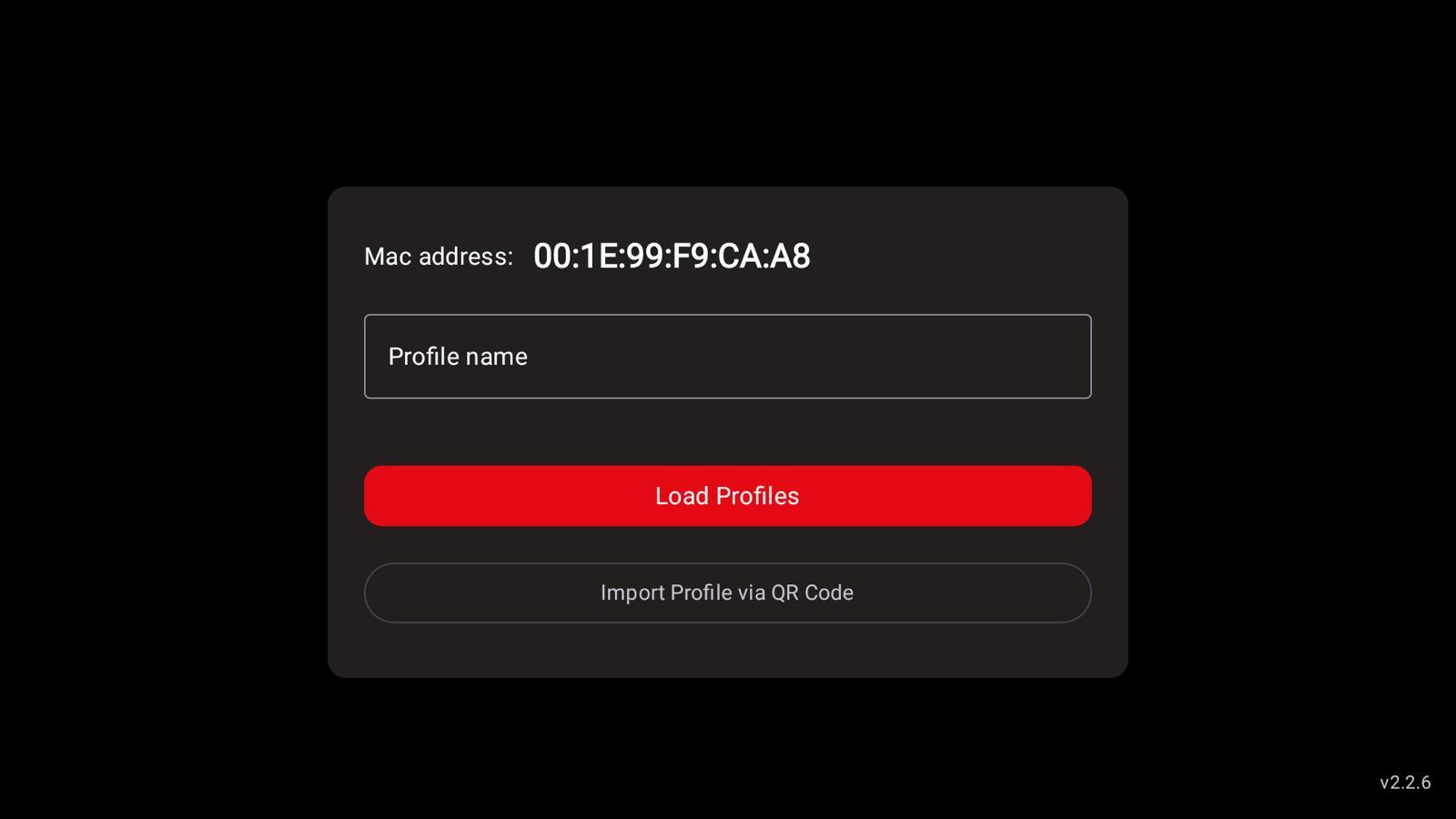
Open the app and send us the MAC address shown on the first screen. We activate it, usually within minutes.
- 3
Type your profile name and tap Load Profiles. If you have our subscription, your channels are already there.
Get the app
Free to install from your device's store. Your activation from us unlocks it.
Fire TV or Android box?
Open the Downloader app and type a code:
- Cast4K
- 5631701
- Cast4K Pro
- 5181870
Cast4K Pro
Watching together? Ask about Pro.
Everything in Cast4K, plus features for families and big game days. Message us for Pro pricing.
Ask about Pro- Multiple profiles for the family
- Use your profile on more devices
- Picture in picture
- Multiscreen live TV (several channels at once)
- Split screen in the movie player
Cast4K is a player, not a channel service
Cast4K plays the login you add to it. It does not include channels on its own. If you already have a provider, buy the activation on its own. If you buy it with our subscription, we set up your profile so there is nothing to type on the TV. Cast4K is made by its own developer; learn more at cast4k.cc.